Sleep apps for night shift workers on iPhone and Apple Watch
Updated October 24, 2026 · 7 min read · How we write these
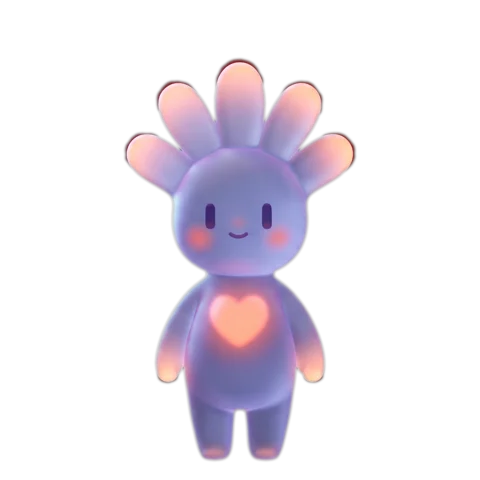 Nularo reads your Apple Health and turns it into a creature that reacts to how you really slept and moved.
Get it
Nularo reads your Apple Health and turns it into a creature that reacts to how you really slept and moved.
Get it
Short answer
Start with what is free: Apple Watch tracks sleep whenever Track Sleep with Apple Watch is on, and it is built around sleep schedules, which can sit in the daytime. In Health, tap Browse, Sleep, Sleep again, scroll to Your Schedule, tap Full Schedule & Options, then Add Schedule, pick your night-shift days and set a daytime bedtime and wake time. Add a second schedule for days off. For roster-based plans, Timeshifter Shift Work and newer apps like SleepShift and OffShift are built for shifts; AutoSleep handles day sleep and naps well.
You get home at 7:40 AM, blackout blinds down, phone on silent, and sleep until three. You check your Apple Watch when you wake up and it has either nothing for you, or a Sleep Score that seems to think you are a mess. Most sleep apps assume your night happens at night. Here is how to make the iPhone and Apple Watch work for a body that sleeps in the daytime, and which apps are actually built for shifts.
What Apple Watch already does for day sleepers
Apple Watch does not care what the clock says. Its sleep tracking runs off two things: the Track Sleep with Apple Watch setting, and your sleep schedule, which turns on Sleep Focus at your wind-down time. A schedule with a bedtime of 9 AM and a wake-up at 4:30 PM is just as valid as one at 11 PM. Apple's requirements are the same either way: wear the watch for at least an hour of the sleep, and charge it to at least 30 percent beforehand. The daytime night then shows up in the Health app as the same stage timeline as any other, and the Apple Watch sleep graph explained covers how to read it.
The useful part for shift workers is that you can have more than one schedule. Apple's own example is weekdays and weekends, but the same feature handles nights and days off:
- On iPhone, open Health, tap Browse, tap Sleep, then tap Sleep again.
- Scroll to Your Schedule and tap Full Schedule & Options.
- Tap Add Schedule. Tap the days to select them; the schedule applies only to days with solid circles. Pick the days after your night shifts.
- Drag the Bedtime control and the alarm control to your real daytime window, set the alarm how you like it, then tap Add.
- Add a second schedule for days off, with the times you actually sleep on those days, not the times you wish you did.
If your shifts are irregular, there is a lighter option. You can change only the next wake-up from the Next section in Your Schedule, without touching the full schedule. And if you would rather start Sleep Focus yourself when you get in, turn off Turn On at Wind Down in the Sleep settings on the watch and use the Sleep Focus button in Control Center instead.
Where Apple's tools fall short on shifts
The setup above works well for fixed nights. It gets clumsy in three places.
Rotating rosters. Schedules repeat by weekday. If you work four nights, four off, the days move every week, and Health has no way to read a roster. You either edit schedules by hand or accept that some sleeps fall outside them.
Naps and split sleep. Apple's support pages tie sleep tracking to your schedule and Sleep Focus, and they say nothing about detecting naps on their own. Apple Community answers going back several watchOS versions report naps outside a schedule going unrecorded, and AutoSleep's developer notes that in Apple's sleep stages mode, a nap only appears if Sleep Focus was on before you dozed off. If you sleep four hours after a shift and two more before the next one, assume the second sleep needs Sleep Focus switched on by hand.
Which day the sleep belongs to. A sleep from 8 AM to 3 PM sits awkwardly in charts built around nights. That matters most if you are adding up nights yourself, as in our guide to working out sleep debt from the Health app, where a missing or misfiled sleep throws the sum off. If a daytime sleep shows up twice or looks longer than you were actually in bed, two apps are probably writing it; our guide to Apple Watch time in bed and time asleep shows how to check the data sources.
What the Sleep Score makes of shift work
Apple Watch gives each sleep a Sleep Score out of 100: up to 50 points for duration, 30 for bedtime consistency and 20 for interruptions. On the watch, open the Sleep app and tap the Info button for the breakdown.
The duration and interruption parts do not care when you sleep. Bedtime consistency does, in a specific way. Apple says it considers when you fell asleep over the last 13 nights. So it is not comparing you with a "normal" 11 PM bedtime. It is comparing you with yourself. A permanent night worker who falls asleep around 8:30 AM every day can score well on consistency. Other apps measure it over shorter windows or count wake time too, which our guide to sleep consistency apps lays out side by side.
The trouble is the switch. When a rota moves your sleep by eight or ten hours, that component spends nearly two weeks comparing new sleeps with the old pattern, and those 30 points take the hit. Apple does not publish exactly how the points are calculated, so the size of the drop is not something anyone outside Apple can tell you. What you can do is read the score with that in mind. A low score in the first week after a rotation is partly the score noticing the rotation, which you already knew about. Daytime sleep often comes with more interruptions too (light, deliveries, people being awake), and those show up in their own 20-point component, which is the more useful part to watch.
If you are also staring at a low HRV after nights, the guide on why Apple Watch HRV is always low explains how the watch takes those readings and why they bounce around.
Apps built for shift work
These are apps we could confirm on their App Store listings or the developer's own site in October 2026. They split into two kinds: apps that plan your sleep around a roster, and apps that record it better.
- Timeshifter Shift Work (Timeshifter). The best-known roster planner, from the company behind the Timeshifter jet lag app. You enter your shifts, including 12-hour rotations, alternating weeks, permanent nights, on-call and irregular schedules, plus your commute, and it builds a day-by-day plan around light, sleep, naps and caffeine. Free to download with a 30-day free trial, then a subscription. Its listing does not mention reading Apple Health.
- SleepShift. A newer iPhone app that works out a sleep window from your schedule, with light-exposure and caffeine timing and pre-shift nap suggestions. Its listing mentions Apple Health integration and a 14-day free trial.
- OffShift. A shift-work sleep app where you log sleep by hand or sync it from Apple Health; the Health sync is a Pro feature, and it needs iOS 26.1 or later.
- AutoSleep (Tantsissa). Not a shift app, but the most flexible recorder. $9.99 once. It analyses your watch data itself rather than waiting for a schedule, and its Night Hour setting decides which day a sleep counts toward; the developer suggests 6 or 7 PM for shift workers, and it can be set from 2 PM. In its own Sleep Analysis mode, naps over 30 minutes appear automatically.
If you want more of a game than a planner, our list of gamified sleep tracker apps covers those, though most of them assume a nighttime bedtime.
The planners above give timing advice. We do not, and none of this is medical advice. The most solid public resource is NIOSH's free training on shift work and long work hours, written for nurses but readable by anyone on nights. If your sleep is worrying you, take it to a doctor rather than an app.
Where Nularo fits
Nularo is an iPhone app with a creature that reads your Apple Health data (read-only): sleep, sleep stages, steps, active minutes, workouts, resting heart rate, HRV and a few more. You log nothing. It does not know your roster. It sees whatever sleep your watch put into Health, so a day sleep your watch recorded counts like any other.
The part that suits shift workers is the comparison. The creature's mood (glowing, fine-but-judgy, wrecked or suspicious) is set against your own 14-day baseline, not against a textbook bedtime. The Overview tab also shows a 7-day sleep debt next to your latest bedtime, wake time and sleep quality, which is the running total the Health app never gives you.
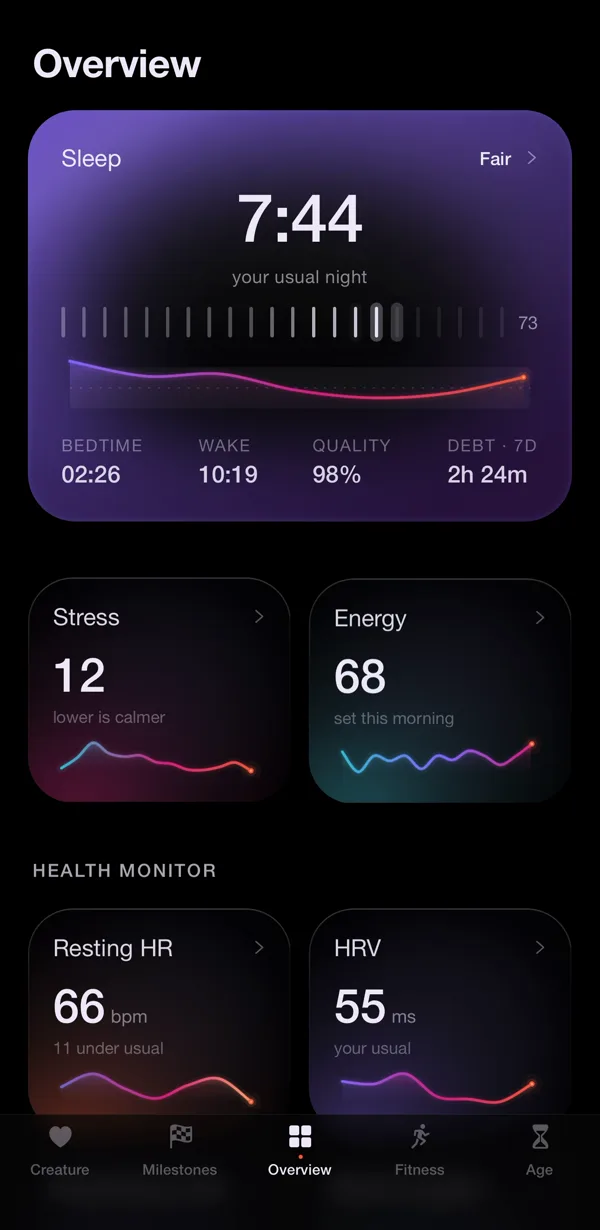
The honest limitations, and there are more of them than usual here. Nularo is designed around a regular overnight sleep and a morning verdict, and we have not verified how it reads a sleep that ends at 3 PM, so use the 3-day free trial across a run of real shifts before paying. Creature Age uses bedtime consistency as one input, so a rotating rota can add years there. Apple's own Health Age names sleep but not consistency as an input, and it is not in iOS 27.2 yet. It is iPhone only, it depends on your watch catching the sleep, and it judges rather than coaches, so it will tell you the week went badly without a plan for the next one. It costs $39.99 a year or $9.99 a month. If a colleague on the same rota wants to compare notes without swapping health numbers, friend mode shares only a mood word and a good-day count; more in sleep tracking with a partner or friends.
Sources
- Apple Support: Edit sleep schedules in Health on iPhone
- Apple Support: View your sleep score on Apple Watch
- Apple Support: Track your sleep on Apple Watch and use Sleep on iPhone
- NIOSH: Training for Nurses on Shift Work and Long Work Hours, Module 6
Try Nularo
Frequently asked questions
Does Apple Watch track sleep during the day?
It can. Apple's sleep tracking is tied to your sleep schedule and Sleep Focus, not to the clock, so a schedule with a 9 AM bedtime works the same way as one at 11 PM. Apple does not document automatic tracking of naps outside a schedule, so short sleeps between shifts may not show up.
Why is my Apple Watch Sleep Score low after switching shifts?
Bedtime consistency is worth 30 of the 100 points, and Apple says it looks at when you fell asleep over the last 13 nights. When a rota moves your sleep by several hours, that component has nearly two weeks of the old pattern to compare against. Apple does not publish the exact math.
Can I have different sleep schedules for nights and days off?
Yes. In Health, go to Browse, Sleep, Sleep, then Full Schedule & Options and tap Add Schedule. Each schedule applies to the days you select, so you can have one for night-shift days and one for days off. Rotating rosters that change week to week still need editing by hand.
Is there a free sleep app for shift workers?
Apple's own sleep tracking and Sleep Score are free with an Apple Watch. Most shift-specific apps, such as Timeshifter Shift Work, SleepShift and OffShift, are free to download with the planning features in a subscription or a paid tier. Check the current App Store listing before you commit.
Does Nularo work for night shift workers?
Nularo reads whatever sleep Apple Health recorded, so day sleep counts if your watch caught it. Its moods compare you to your own 14-day baseline rather than a fixed clock. It is designed around a regular overnight sleep and a morning verdict, so try the 3-day free trial across a run of shifts before paying.
Nularo is an entertainment and wellness app, not a medical device. Nothing on this page is medical advice. If something about your sleep or heart worries you, talk to a doctor.