Why is my Apple Watch HRV always low? (What the number means)
Updated October 23, 2026 · 6 min read · How we write these
 Nularo reads your Apple Health and turns it into a creature that reacts to how you really slept and moved.
Get it
Nularo reads your Apple Health and turns it into a creature that reacts to how you really slept and moved.
Get it
Short answer
Usually because you are comparing it with the wrong thing. Apple Watch records HRV as SDNN, taken in short readings whenever the watch decides you are still, while Whoop and Oura use rMSSD measured during sleep, so the numbers are not on the same scale. A 2024 study also found Apple Watch read about 8 ms lower than a chest strap on average. Check your own trend instead: open Health on iPhone, tap Browse, Heart, Heart Rate Variability, and switch to the M or 6M view.
You open the Health app, tap Heart Rate Variability, and see 31 ms. A friend's Whoop says 74. An article says "good" starts at 50. You start wondering what is wrong with you. Most of the time, nothing in particular. You are comparing numbers that were never on the same ruler.
Apple Watch measures a different kind of HRV
HRV is the variation in time between heartbeats. There is more than one way to put a number on it, and the brands do not agree on which.
Apple stores HRV in Health as SDNN, the standard deviation of the gaps between normal heartbeats. That is spelled out in Apple's own developer documentation, where the data type is literally called heartRateVariabilitySDNN. Whoop and Oura use a different formula, rMSSD. Whoop's support pages say it records HRV only during sleep, weighted to the deepest sleep stage. Oura averages rMSSD over five-minute segments while you sleep.
So the two numbers differ in the formula, in the length of the window and in the time of day. Whoop's own guide says HRV values are not comparable across devices. When your Apple Watch says 31 and a ring says 60, that is not two measurements of the same thing disagreeing. It is two different measurements.
There is also a known gap in accuracy. A 2024 study in Sensors (O'Grady and colleagues) compared Apple Watch Series 9 and Ultra 2 with a Polar H10 chest strap in 39 healthy adults over 14 days, 316 readings in total. The watch underestimated HRV by 8.31 ms on average, with a mean absolute error of 20.46 ms, and it missed the study's pre-set agreement margin of 10 ms. Resting heart rate, by contrast, was almost spot on (an average difference of 0.08 bpm). So if your HRV looks a bit low and your resting heart rate looks normal, that pattern matches what the researchers saw.
When the watch takes readings (and why you cannot choose)
The other reason Apple Watch HRV looks low or jumpy is timing. On most models the watch does not measure HRV continuously. Apple's support page says HRV is sampled while you are still, so the number of readings you get depends on how active you have been. A reading taken while you sit at your desk after two coffees and one taken at 3am are not the same conditions, and both land on the same chart.
You cannot force more of them through an app. An Apple engineer on the Apple Developer Forums put it plainly: "There is no API for a 3rd party app to impact the sampling rate on an Apple Watch." The system decides. It is also why free stress apps for Apple Watch are drawing their "real-time" stress lines between a handful of readings on older models.
Apple says the sensor measures your heart rate during Breathe sessions, and many people start one in the Mindfulness app hoping for an HRV reading. Reports in Apple Community threads say it does not write an HRV value every time, so treat it as a maybe, not a button.
Apple Watch Series 12 and Ultra 4 change the picture. Apple says HRV is now measured as often as every five minutes on those models. They also get a Recovery HRV view: open the Heart Rate app on the watch and turn the Digital Crown. The Vitals app on those two models shows overnight HRV in place of sleep duration, plus a daytime view with resting heart rate and HRV, which feeds the Readiness score described in our guide to whether Apple Watch has a Body Battery. If you own an older watch, you still get the spot readings above.
How to read your HRV so it means something
Because the number is noisy and has no shared scale, the useful comparison is you against you, over weeks.
- Find the chart. On iPhone, open Health, tap Browse, tap Heart, then tap Heart Rate Variability.
- Zoom out. Tap W, M or 6M at the top. The range and average across a month tell you far more than today's single reading.
- Feed it overnight data. Wear the watch to bed with Sleep set up. Night is when you are stillest for longest, so it is where the watch can take readings under the most similar conditions.
- Check the fit. Apple's accuracy guide says the band should be snug but comfortable, sitting above the wrist bone. Its test: shake your wrist and turn your palm up. If the back of the watch lifts off your skin, tighten it. Apple also notes that some tattoos can block the sensor's light.
- Use Vitals as a range check. The Vitals app compares last night with your typical range, which takes about 7 nights of sleep tracking to build. Apple notes that medications, elevation, alcohol and illness can all move these metrics.
Ignore "normal HRV for your age" charts you find online when you look at Apple's number. HRV does fall with age; a 1998 study of 260 healthy people aged 10 to 99 in the Journal of the American College of Cardiology found exactly that, with differences between men and women that depended on the measure used. But a 2023 JACC review of consumer wearables noted that normative HRV values that apply across all people and all wearables do not exist. A chart built on 24-hour ECG recordings or on rMSSD does not tell you whether your Apple Watch SDNN is low.
HRV is also only one input. If you are tracking short nights alongside it, our guide to whether Apple Watch tracks sleep debt shows how to total those up from the same Health app.
When a low number is worth a conversation
A low HRV on its own is not a diagnosis, and this page is not going to pretend to give one. Apple describes the Vitals app as a wellness feature, not a medical one. What the watch can reasonably tell you is that something changed against your own normal. What it cannot tell you is why.
If your readings sit well below your usual range for a long stretch, if Vitals keeps flagging you as outside your typical range, or if you simply feel unwell, take that to a doctor. Bring the 6M chart from the Health app. A trend over months is a more useful thing to show someone than a single bad morning.
Where Nularo fits
Nularo is an iPhone app with a small creature that lives on your Apple Health data. It reads HRV and resting heart rate read-only, alongside sleep, sleep stages, steps, active minutes and workouts, and you never log anything. Its mood never compares you with a chart of strangers. The creature's mood (glowing, fine-but-judgy, wrecked or suspicious) is set against your own 14-day baseline, which is the same you-against-you logic this whole page argues for.
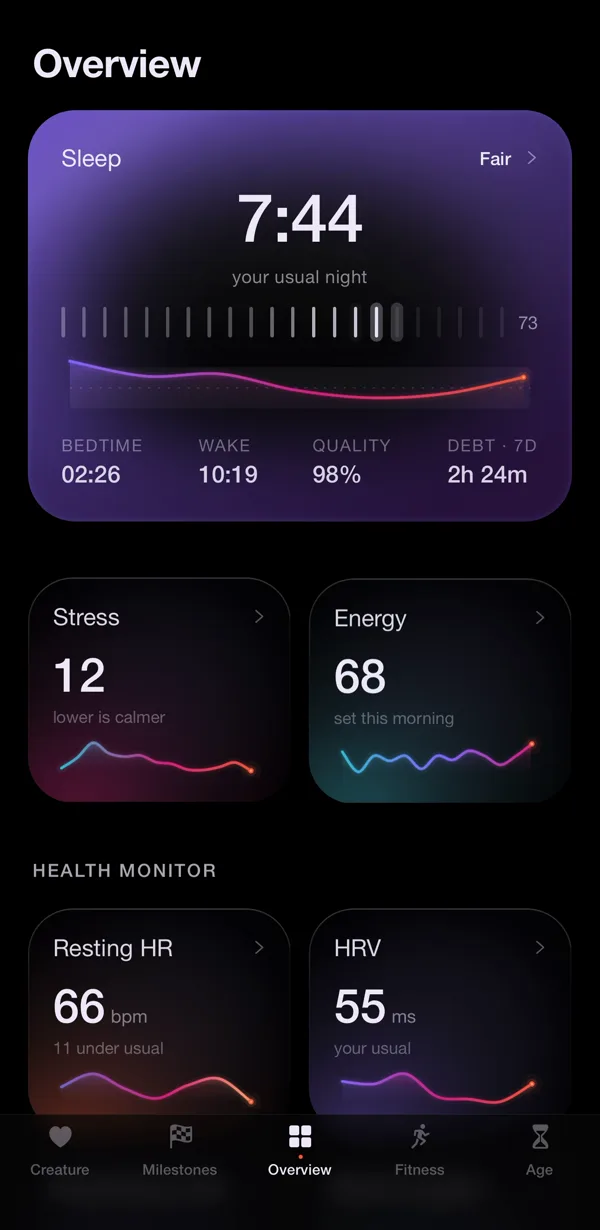
The Overview tab, shown above, turns your night into Sleep, Stress and Energy scores instead of a bare "31 ms", and the creature delivers a morning verdict about it. It judges, it does not coach: it will not tell you what to do about a low reading, and it is not a medical tool. If you like a pet that reacts to your data, our guide to virtual pet apps that use Apple Health compares the options, and the biological age apps for Apple Watch guide covers apps that turn HRV into an age.
The honest limitation: Nularo can only use the HRV readings your watch already wrote to Apple Health. It cannot make an older Apple Watch sample more often, and without a watch on at night the data gets thin. It updates the morning after, not in real time. It is iPhone only and costs $39.99 a year with a 3-day free trial, or $9.99 a month. A friend in friend mode sees only your mood word and a good-day count, never your HRV, as our guide to sleep tracking with a partner or friends explains.
Sources
- Apple Support: Monitor your heart rate with Apple Watch
- Apple Support: Track your overnight and daytime vitals with Apple Watch
- Apple Support: Get the most accurate measurements using your Apple Watch
- O'Grady et al., "The Validity of Apple Watch Series 9 and Ultra 2 for Serial Measurements of Heart Rate Variability and Resting Heart Rate", Sensors (2024)
- Umetani et al., "Twenty-Four Hour Time Domain Heart Rate Variability and Heart Rate: Relations to Age and Gender Over Nine Decades", JACC (1998)
Try Nularo
Frequently asked questions
Why is my Apple Watch HRV lower than my Whoop or Oura?
They measure different things at different times. Apple Watch stores HRV as SDNN from short spot readings through the day and night, while Whoop and Oura use rMSSD from sleep. Whoop itself says HRV values are not comparable across devices, so a gap between brands is expected.
How often does Apple Watch measure HRV?
On most models, whenever the system decides to, while you are still, so the number of readings depends on how active you have been. Apple says no app can change the sampling rate. On Apple Watch Series 12 and Ultra 4, Apple says HRV is measured as often as every five minutes.
What is a normal HRV on Apple Watch?
There is no reliable universal number. HRV falls with age and differs between people, and a 2023 JACC review noted that normative HRV values that apply across all people and all consumer wearables do not exist. Your own average over weeks is the useful reference.
Should I worry if my HRV is low?
A low number on its own is not a diagnosis, and Apple describes its Vitals app as a wellness feature, not a medical one. If your readings stay well below your usual range, or you feel unwell, talk to a doctor.
Does Nularo use HRV?
Yes. Nularo reads HRV and resting heart rate from Apple Health, read-only, and compares them with your own baseline rather than a population average. It can only use the readings your watch already wrote to Health, and it updates the morning after.
Nularo is an entertainment and wellness app, not a medical device. Nothing on this page is medical advice. If something about your sleep or heart worries you, talk to a doctor.